📱 App Download Guide

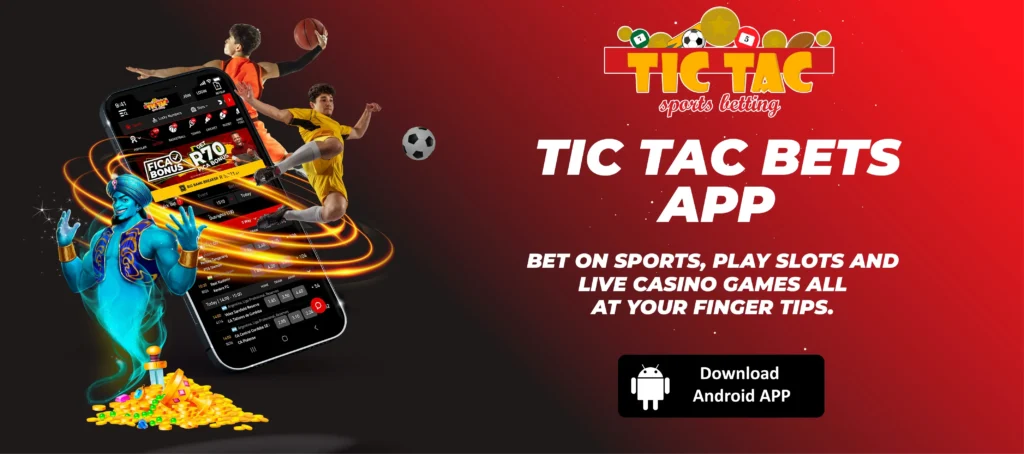
Tic Tac Bets App Download
Android APK Download | Mobile Browser for iOS | Sports, Slots and Live Casino
Free download. No Play Store needed. Bet on 30+ sports and play 600+ games on the go.
⚡ Quick Facts
Android App
APK Download
iOS App
Mobile Browser
Price
Free
Casino Games
600+
Sports Markets
30+
Min Deposit
R5
📋 Table of Contents
The Tic Tac Bets app is available as a free Android APK download directly from the TicTacBets website. It is not on the Google Play Store, which is standard for all SA betting apps because Google restricts real-money gambling apps in most regions. To download it, visit tictacbets.co.za, look for the “Tic Tac Bets App” link at the bottom-left of the homepage, and follow the download instructions. The whole process takes about 2 minutes.
There is no iOS app at present. iPhone and iPad users should use the mobile browser at tictacbets.co.za, which is fully optimised for Safari and delivers the same features as the Android app. For an overview of the full platform including bonuses and payment methods, see our complete Tic Tac Bets review.
📲 How to Download the Tic Tac Bets Android App
The download link is on the Tic Tac Bets website itself. Here is how to find it and get the APK onto your device.
Step 1: Find the App Download Link
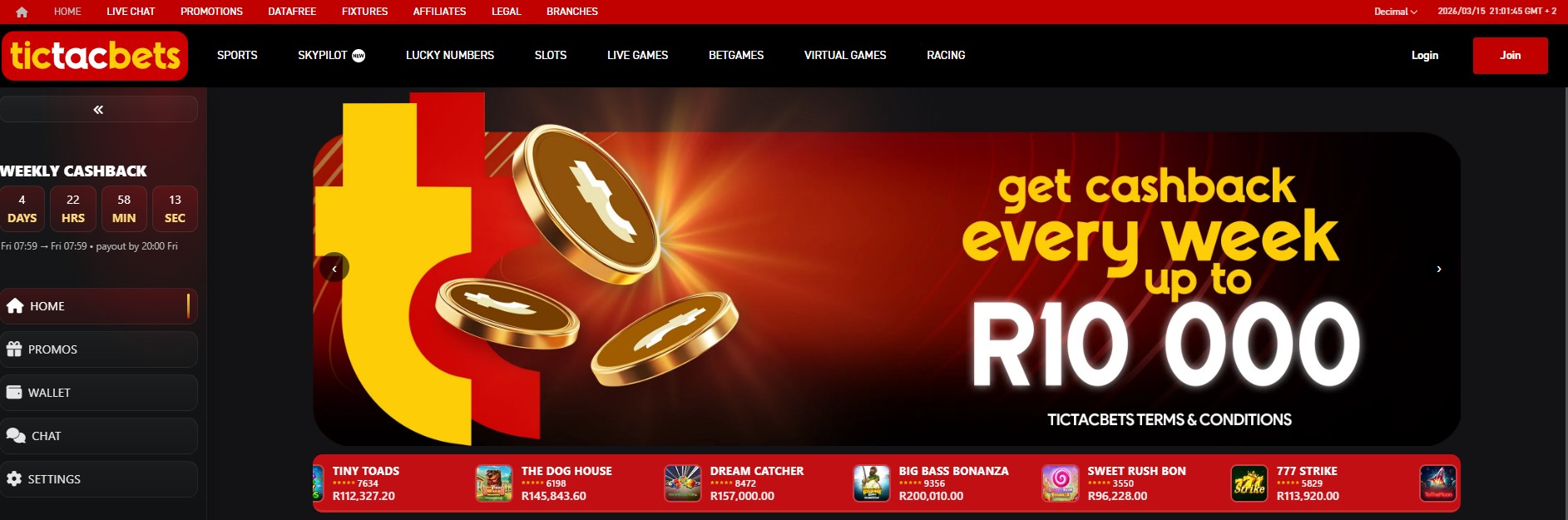
Open tictacbets.co.za in your mobile browser (Chrome works best). Scroll to the bottom-left of the homepage and look for the “Tic Tac Bets App” link. Tap it to be directed to the app download page.
Step 2: Download the APK File
On the app download page, tap the “Download Tic Tac Bets App” button. The APK file will start downloading automatically to your device. This is a small file and should complete in under a minute on a 4G connection.

✅ Safe to Download
Downloading the APK directly from tictacbets.co.za is completely safe. Tic Tac Bets is licensed by the Northern Cape Gambling Board and operated by Vengies Gaming (Pty) Ltd. If any other website asks you to pay for the Tic Tac Bets app, it is a scam. The official app is always free.
⚙️ How to Install the APK on Android
Before installing, you need to allow your phone to accept apps from outside the Google Play Store. This is a one-time setting change that takes 30 seconds.
Step 1: Enable Unknown Sources
Go to Settings on your Android device. Tap Security. Under “Device Administration,” tick the box next to “Allow Unknown Sources.” A confirmation popup will appear. Tap “OK” to confirm.
⚠️ Android 8.0+ Users: Slightly Different Path
On newer Android versions (8.0 Oreo and above), the setting is per-app rather than global. Go to Settings, then Security, then Install Unknown Apps. Select your browser (e.g. Chrome) and toggle “Allow from this source” to ON. You can turn this off again after installation if you prefer.
Step 2: Install the App
Open your phone’s file manager or tap the download notification. Find the Tic Tac Bets APK file and tap it. Your phone will ask you to confirm the installation. Tap “Install” and wait a few seconds for it to complete.
Step 3: Open and Sign In
Once installed, tap “Open” to launch the app. If you already have a Tic Tac Bets account, sign in with your email or mobile number and password. For login help, see our Tic Tac Bets login guide. New users can tap “Join” to register directly in the app. Our registration guide walks through the full sign up process.
🎰 What You Get in the Tic Tac Bets App
The TicTacBets Android app gives you the full platform experience. Every feature available on the desktop site works in the app, including deposits, withdrawals, and bonus claims.
📱 App Features at a Glance
- Sports betting: 30+ markets including soccer, rugby, cricket, horse racing, and greyhounds with live in-play betting
- Casino games: 600+ slots, table games, and live dealer from Pragmatic Play, NetEnt, Red Tiger, and AGT
- Crash games: Aviator by Spribe with live chat and airdrop free bets
- Lucky Numbers: Bet on local and international lottery draws every few minutes
- Deposits and withdrawals: Ozow instant EFT, standard EFT, vouchers, and cryptocurrency (via Ozow) directly in-app
- Push notifications: Alerts for new bonuses, promotion updates, and bet results
- Session persistence: Stay logged in between uses without re-entering credentials each time
Bonus access: All promotions work in the app, including the 25 free spins on registration, the R5,000 deposit bonus, weekly cashback, and AGT free spins. See our Tic Tac Bets promo codes and bonuses guide for the full breakdown.
🍎 iPhone and iPad: Mobile Browser Alternative
Tic Tac Bets does not have a dedicated iOS app at present. iPhone and iPad users access the platform through the mobile browser at tictacbets.co.za, which is fully responsive and runs smoothly on Safari. You get the same games, sports markets, deposit methods, and bonus offers as the Android app.
📱 Add TicTacBets to Your iPhone Home Screen
- Open Safari and go to tictacbets.co.za
- Tap the share icon (square with upward arrow) at the bottom of the screen
- Scroll down and tap “Add to Home Screen”
- Give it a name (e.g. “TicTacBets”) and tap “Add”
This creates an app-like icon on your home screen that opens Tic Tac Bets without the Safari toolbar, giving you a cleaner experience. Your login session persists between visits.
Android users without the app can do the same thing: open Chrome, go to tictacbets.co.za, tap the three-dot menu, and select “Add to Home Screen.” This works well if you prefer not to install the APK or are short on storage space.
📊 App vs Mobile Browser: Which Should You Use?
| Feature | Android App | Mobile Browser |
|---|---|---|
| Sports betting | ✅ Full access | ✅ Full access |
| Casino games | ✅ 600+ games | ✅ 600+ games |
| Deposits/withdrawals | ✅ All methods | ✅ All methods |
| Push notifications | ✅ Yes | ❌ No |
| Session persistence | ✅ Stays logged in | ⚠️ May expire if cookies clear |
| Loading speed | ✅ Faster (native) | Good (depends on connection) |
| Storage required | ⚠️ Uses phone storage | ✅ None |
| iOS support | ❌ Android only | ✅ Works on all devices |
Our recommendation: If you bet regularly and use an Android phone, install the app for push notifications and faster loading. If you are a casual user, short on storage, or on iPhone, the mobile browser is excellent and requires no installation. Both give you identical access to games, sports, bonuses, and payment methods.
⚠️ App Download and Installation Troubleshooting
| Problem | Fix |
|---|---|
| “Install blocked” or “Unknown sources” error | Go to Settings, then Security, then enable “Install Unknown Apps” for your browser (Chrome/Samsung Internet). On older Android versions, enable “Unknown Sources” globally under Security. |
| Download not starting | Check your internet connection. Try switching between Wi-Fi and mobile data. Clear your browser cache and try again. If using a download manager, disable it temporarily. |
| “App not installed” error | The APK file may be corrupted from an incomplete download. Delete the file, clear your browser cache, and download the APK again from tictacbets.co.za. |
| “Not enough storage” error | Free up space by deleting unused apps, clearing cached data (Settings, then Storage, then Cached Data), or moving photos and videos to cloud storage. |
| App crashes or freezes after install | Uninstall the app, download the latest version from tictacbets.co.za, and reinstall. Old versions can lose compatibility after server updates. Make sure your Android version is 5.0 or higher. |
| Cannot find APK file after download | Open your file manager and navigate to the “Downloads” folder. The file is named something like “tictacbets.apk.” If you still cannot find it, check your browser’s download history. |
If you continue to have trouble, use the mobile browser at tictacbets.co.za instead. You get the same features without needing to install anything. For account issues, contact Tic Tac Bets support via 24/7 live chat, email at support@tictacbets.co.za, or WhatsApp.
❓ Frequently Asked Questions
Is the Tic Tac Bets app free to download?
Yes, completely free. The APK is downloaded directly from tictacbets.co.za at no cost. You only need data or Wi-Fi for the download itself. Any website charging for the TicTacBets app is fraudulent.
Why is the Tic Tac Bets app not on the Google Play Store?
Google restricts real-money gambling apps in most countries, including South Africa. This affects all SA betting apps, not just Tic Tac Bets. Operators like Betway, Hollywoodbets, 10Bet, and Easybet all distribute their Android apps via direct APK download from their websites. Downloading the APK from the official site is safe and standard practice.
Can I register a new account through the app?
Yes. Tap “Join” in the app to create a new account. The sign up process is the same as on the website: enter your mobile number, verify via SMS, and fill in your details. Your 25 free spins are credited automatically. For a detailed walkthrough, see our registration guide.
Does the app work on Huawei phones?
Yes. The Tic Tac Bets APK does not rely on Google Play Services, so it works on Huawei devices with HMS (Huawei Mobile Services) including P series, Mate series, and Nova series phones. The installation process is identical to other Android devices.
How do I update the Tic Tac Bets app?
There is no automatic update through a store. To update, visit tictacbets.co.za, download the latest APK from the app download page, and install it over the existing version. Your account data and login session are preserved during the update. Check for updates if the app starts crashing or you notice missing features.
Can I deposit and withdraw through the app?
Yes, all payment methods available on the desktop site work in the app. This includes Ozow instant EFT, standard EFT, voucher deposits, and cryptocurrency via Ozow (auto-converts to ZAR). Withdrawals require FICA verification to be completed first. For withdrawal speed comparisons across operators, see our fastest paying bookmakers guide.
Get the Tic Tac Bets App Today
✅ Free Download | ✅ 600+ Games | ✅ 30+ Sports | ✅ R5,000 Bonus + 75 Free Spins
📚 Related Resources
- Tic Tac Bets Login Guide – Sign in on desktop, mobile, and app with password reset help
- Tic Tac Bets Registration Guide – Create your account and claim 25 free spins
- Tic Tac Bets Casino Review – Full platform overview with games, sports, and payments
- Tic Tac Bets Promo Codes and Bonuses – No code needed, full bonus terms and wagering breakdown
- No Deposit Bonuses South Africa – Compare free bonus offers across all licensed SA casinos
18+ Only. Tic Tac Bets is licensed by the Northern Cape Gambling Board. Gambling can be addictive and harmful if not controlled. Winners know when to stop. For help, contact South African Responsible Gambling Foundation: 0800 006 008 or WhatsApp 076 675 0710.
Disclaimer: This guide was last updated March 2026. App features and download processes may change. Always verify current details on the official Tic Tac Bets website. Gambling involves risk.
Affiliate Disclosure: iBets.co.za may receive commission through affiliate links, but this does not influence our independent reviews and analysis.
Licensing: Vengies Gaming (Pty) Ltd (Reg: 2012/050393/07). Licensed by the Northern Cape Gambling Board (NCGLB-BM.2025/01). 18+. Winners know when to stop.