
📱 App Download Guide

Betbus App Download South Africa 2026
Android APK | iOS App Store | Huawei AppGallery
Free download, step-by-step install guides, app features & troubleshooting for all devices.
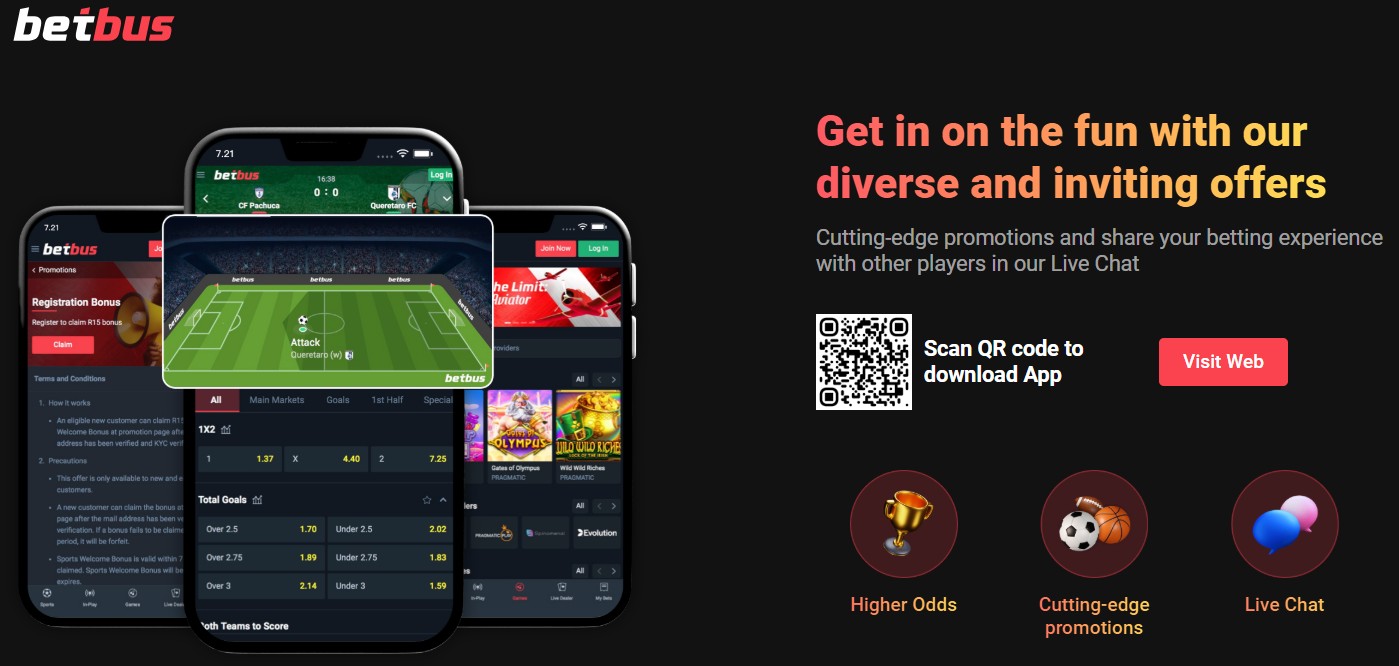
⚡ Bet Bus App at a Glance
Price
Free
Platforms
Android, iOS, Huawei
iOS Rating
4.0/5 ★★★★
iOS Requires
iOS 15.0+
Sign-Up Bonus
R15 Free Bet (App)
Developer
AI Sports Pty Ltd
The Betbus app is available as a free download for Android, iOS, and Huawei devices. With 99% of Betbus traffic coming from mobile, the app delivers a faster, more responsive experience than the mobile browser — with biometric login, push notifications for promotions, and access to 7,000+ casino games, 1,000+ betting markets, and live streaming of 200+ games daily.
This guide walks you through the complete Bet Bus app download and installation process for every platform, compares the app to the mobile website, and covers troubleshooting for common installation issues. Betbus is operated by AI Sports (Pty) Ltd and licensed by the Mpumalanga Economic Regulator (9-2-1-09797).
📋 What’s in This Guide
🤖 Android APK Download & Install
The Betbus Android app is not available on the Google Play Store — this is normal for South African betting apps because Google restricts real-money gambling apps in most regions. Instead, you download the APK file directly from the Betbus website and install it manually. The process takes about 2 minutes.
Step 1: Enable “Install from Unknown Sources”
Before downloading, you need to allow your Android phone to install apps from outside the Play Store. This is a standard Android setting — not a security risk when downloading from the official Betbus website.
- Go to Settings → Security (or Settings → Apps → Special Access on newer Android versions)
- Find “Install Unknown Apps” or “Unknown Sources”
- Toggle it ON for your browser (Chrome, Samsung Internet, etc.)
- On Android 8.0+ you may need to grant permission per-app when prompted during install
Step 2: Visit the Betbus Website
Open your mobile browser and go to Betbus.co.za. Look for the Android download link or button — it’s typically displayed on the homepage or in the website footer. Only download the APK from the official Betbus website to ensure you get the genuine, safe version.
Step 3: Download the APK File
Tap the Android download button. The Betbus APK file will begin downloading to your device. You’ll see a download notification in your status bar. Wait for the download to complete — it should only take a few seconds on Wi-Fi or a mobile data connection.
Step 4: Install the App
Once the download completes:
- Tap the downloaded APK file from your notification bar, or find it in your Downloads folder
- If prompted, tap “Allow” to grant installation permission
- Tap “Install” and wait for the installation to finish
- Once complete, tap “Open” to launch the Betbus app
Step 5: Login or Register
The Betbus app is ready to use. Log in with your existing credentials, or register a new account directly in the app. The registration process is the same as on the website and takes 2-3 minutes.
⚠️ Safety Warning
Only download the Betbus APK from the official Betbus website. Do not download APK files from third-party sites, as these may contain malware or be fake versions. If a site asks you to pay for the Betbus app download, it is a scam — the app is completely free.
🍎 iOS App Store Download
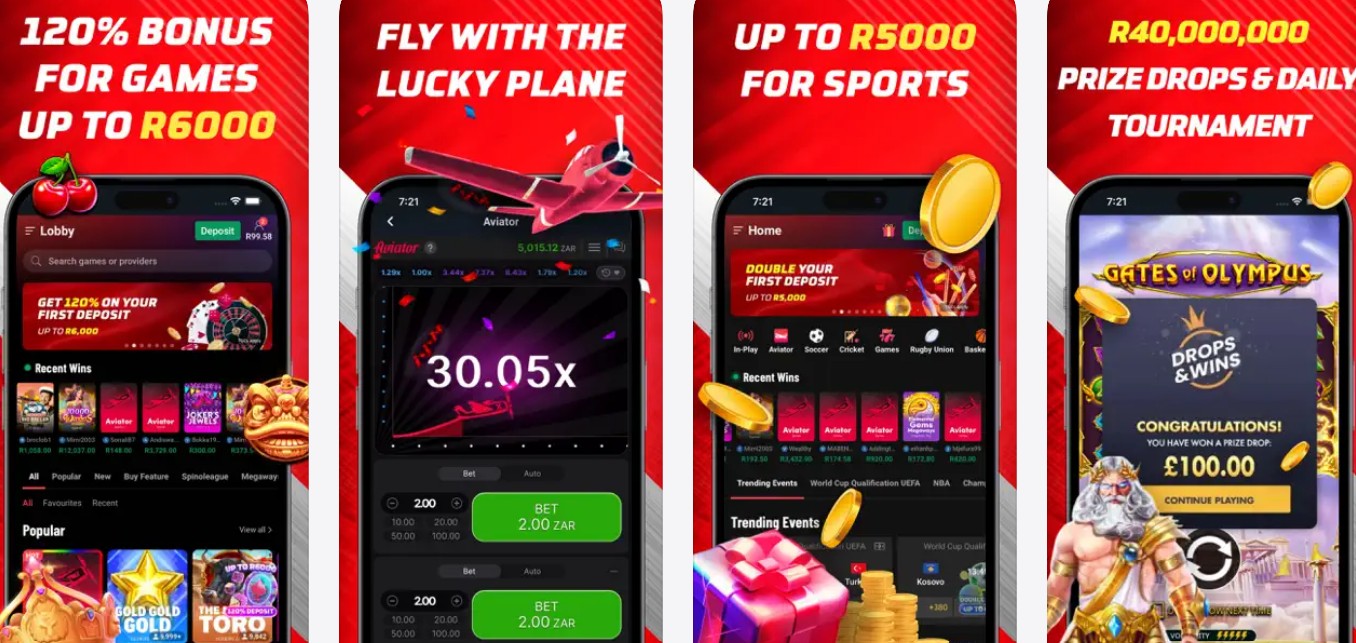
The Betbus iOS app is available directly from the Apple App Store, making installation straightforward for iPhone and iPad users. The app is developed by AI Sports (Pty) Ltd, rated 4.0/5, and requires iOS 15.0 or later.
Step 1: Open the App Store
Open the App Store on your iPhone or iPad. Make sure you’re signed in with your Apple ID and that your region is set to South Africa.
Step 2: Search for Betbus
Tap the Search tab and type “Betbus”. Look for the app named “Betbus – Games & Sports Betting” by AI SPORTS (PTY) LTD. You can also access it directly by searching “Betbus Sports Betting” in the App Store.
Step 3: Download & Install
Tap “Get” to download and install the Betbus app. You may need to authenticate with Face ID, Touch ID, or your Apple ID password. The app is free and the download completes in seconds.
Step 4: Open & Login
Once installed, tap “Open” or find the Betbus icon on your home screen. Log in with your existing credentials or create a new account. Enable biometric login (Face ID / Touch ID) for quick access in future.
📋 iOS App Details
- App Name: Betbus – Games & Sports Betting
- Developer: AI SPORTS (PTY) LTD
- Requires: iOS 15.0 or later (also compatible with macOS 12.0+ on Apple Silicon Macs)
- Rating: 4.0 out of 5 stars
- Age Rating: 18+
- Price: Free
📲 Huawei AppGallery Download
Huawei users can download the Betbus casino app through the Huawei AppGallery — Huawei’s official app store. This is especially important for newer Huawei devices that don’t have access to the Google Play Store.
Step 1: Open Huawei AppGallery
Open the AppGallery app on your Huawei device. This comes pre-installed on all Huawei phones. If you’ve removed it, you can re-download it from consumer.huawei.com.
Step 2: Search for Betbus
Use the search bar at the top and type “Betbus”. Look for the official Bet Bus app by AI Sports (Pty) Ltd in the results.
Step 3: Install & Open
Tap “Install” to download and install the Betbus app. Once the installation is complete, tap “Open” to launch the app. You can then log in or register a new account — the process is the same across all platforms.
💡 Huawei Tip
If the Betbus app isn’t available on the AppGallery in your region, you can alternatively download the Android APK directly from the Betbus website using the Android APK method described above. Huawei devices running EMUI or HarmonyOS can install APK files the same way as standard Android devices.
🎯 App Features & What You Get
The Betbus app gives you the full platform experience on your phone. Here’s everything you can access:
🎰 Casino & Games
- 7,000+ slot games from Pragmatic Play, NetEnt, Red Tiger, Spinomenal, and Yggdrasil
- Popular titles including Gates of Olympus, Sweet Bonanza, and Aviator
- Live dealer games: Baccarat, Blackjack, Poker, Roulette
- Game tournaments with extra prizes
⚽ Sports Betting
- 1,000+ betting markets across major sports
- Football: PSL, Premier League, Champions League, LaLiga, Bundesliga, Serie A, Ligue 1, MLS, Eredivisie
- Cricket, Rugby, Tennis (Grand Slams, ATP, WTA, ITF)
- Basketball: NBA, Euroleague, NCAA
- Boxing, MMA, UFC
- Live in-play betting with real-time odds
- Free live streaming of 200+ games daily
🔐 App-Specific Features
- Biometric login: Face ID, Touch ID, or fingerprint for quick sign-in
- Push notifications: Get alerted about new promotions, bet results, and bonus offers
- Faster performance: Native app runs smoother than the mobile browser
- Full account management: Deposits, withdrawals, FICA uploads, and support access
- Remember Me: Stay logged in between sessions (with security timeout for inactivity)
🎁 Bonuses Available on the App
All Betbus promotions are accessible through the app, including:
- R15 sports free bet on registration — app-exclusive, no deposit required
- 100% sports welcome bonus up to R5,000 — see our welcome bonus guide
- 120% casino welcome bonus up to R6,000 — no promo code needed
- Bet R50 & Get 30 Free Spins
- Spin & Win Daily — 10-12 free spins per day with 0x wagering
- Multi-Bet Booster — up to 50% extra on accumulators
- Weekly Cashback — 10% on sports losses, up to R5,000
⚖️ App vs Mobile Browser Comparison
You don’t need the Betbus app to play on your phone — the mobile website works well too. But the app offers several advantages. Here’s how they compare:
| Feature | Betbus App | Mobile Browser |
|---|---|---|
| Speed & Performance | ✅ Faster (native) | ⚡ Good (optimised) |
| Biometric Login | ✅ Face ID / Fingerprint | ❌ Not available |
| Push Notifications | ✅ Promo & bet alerts | ❌ Not available |
| Sports Betting | ✅ Full access | ✅ Full access |
| Casino Games | ✅ 7,000+ games | ✅ 7,000+ games |
| Live Streaming | ✅ 200+ games/day | ✅ 200+ games/day |
| Deposits & Withdrawals | ✅ All methods | ✅ All methods |
| Bonuses & Promotions | ✅ All available | ✅ All available |
| Installation Required | ⚠️ Yes (APK/Store) | ✅ No install needed |
| Storage Space | ⚠️ Uses phone storage | ✅ No storage needed |
| Low Bandwidth | ✅ Optimised | ✅ Works well |
Our recommendation: If you use Betbus regularly, the app is worth installing for the biometric login and push notifications alone. If you’re a casual user or short on storage space, the mobile browser is perfectly fine — the Bet Bus website is fully optimised for mobile devices across Android, iOS, and Huawei screens.
📝 How to Register & Login on the App
The registration process inside the Betbus app is identical to the website. Here’s a quick overview:
Quick Registration Steps (In-App)
- Open the Betbus app and tap “Join Now” or “Register”
- Enter your 13-digit SA ID number (verifies age and identity)
- Fill in your personal details: name, email, phone number, address
- Create a username and strong password
- Complete FICA verification by uploading your SA ID and proof of address
- Deposit R100+ to claim the welcome bonus (up to R5,000 sports or R6,000 casino)
🔐 App Login Tips
- Your login credentials are the same across the website, mobile browser, and app
- Enable biometric login (Face ID / fingerprint) after first sign-in for quicker access
- Use “Remember Me” to stay logged in (auto-timeout on inactivity for security)
- Forgot your password? Tap “Forgot Password” on the login screen to reset via email or SMS
- For detailed login help, see our Betbus Login Guide
🔧 Troubleshooting & Common Issues
Having trouble with the Betbus app download or installation? Here are solutions to the most common issues:
🤖 Android APK Won’t Install
- “Install blocked” or “Unknown sources” error: Go to Settings → Security → Enable “Install Unknown Apps” for your browser. On Android 8.0+ you must enable this per-app — allow your browser to install unknown apps.
- “App not installed” error: Your phone may have insufficient storage. Clear space by removing unused apps or files, then try again.
- “Parse error”: The APK download may have been incomplete or corrupted. Delete the file, clear your browser cache, and re-download from the official Betbus website.
- App crashes on launch: Close other apps to free up RAM, then restart the Betbus app. If the problem persists, uninstall and re-download the latest APK version.
🍎 iOS App Issues
- “This app requires iOS 15” error: Update your iPhone to iOS 15.0 or later through Settings → General → Software Update. Older iPhones that can’t run iOS 15 (iPhone 6s and older) must use the mobile browser instead.
- App not found in App Store: Ensure your Apple ID region is set to South Africa. Go to Settings → Apple ID → Media & Purchases → Country/Region.
- Download stuck or frozen: Pause and resume the download, or toggle Wi-Fi off and on. If that doesn’t work, restart your iPhone and try again.
- App crashes after update: Delete the app from your home screen, re-download from the App Store, and log in again.
📲 Huawei Issues
- App not in AppGallery: If the Betbus app is not listed in the Huawei AppGallery, download the Android APK directly from the Betbus website instead — the installation process is the same as described in the Android section above.
- “Installation failed” on newer Huawei: Make sure you’ve allowed installation from unknown sources in your device settings (Settings → Security → More Settings → Install apps from unknown sources).
🔑 Login Issues on the App
- Can’t log in: Double-check your username and password. Use “Forgot Password” to reset if needed. See our full Betbus Login Guide for detailed help.
- Biometric login not working: Go to app settings and re-enable Face ID / fingerprint. Make sure biometrics are enabled in your phone’s main settings too.
- Session expired: This is normal security behaviour — sessions auto-expire after inactivity. Simply log in again or use biometric login.
- Account locked: Too many failed login attempts may temporarily lock your account. Wait 30 minutes or contact Betbus support at support@betbus.co.za or via 24/7 live chat.
❓ Frequently Asked Questions
Is the Betbus app free to download?
Yes, the Betbus app is completely free to download on all platforms — Android (APK from the website), iOS (App Store), and Huawei (AppGallery). You only need data or Wi-Fi for the download itself. If any website asks you to pay for the Betbus app, it is a scam.
Why isn’t the Betbus app on Google Play Store?
Google restricts real-money gambling apps from the Play Store in most regions, including South Africa. This is a Google policy issue, not a Betbus issue — most SA betting apps (Hollywoodbets, Betway, etc.) also distribute their Android apps as APK downloads from their own websites. The Bet Bus APK from the official website is safe and verified.
Is the Betbus APK download safe?
Yes, as long as you download the APK directly from the official Betbus website. Betbus is a licensed and legitimate South African betting site operated by AI Sports (Pty) Ltd. Never download APK files from third-party sites or links shared on social media.
Can I register a new account on the Betbus app?
Yes, you can register directly in the Betbus app. The sign-up process is the same as on the website and takes about 2-3 minutes. You’ll need your SA ID number and personal details. FICA verification can also be completed through the app by uploading your documents.
Do I need a new account for the app?
No. If you already have a Betbus account from the website, use the same username and password to log in on the app. Your account, balance, bets, and bonuses are synced across all platforms. Betbus only allows one account per person — creating a second account violates their terms.
Can I deposit and withdraw through the app?
Yes. All deposit and withdrawal methods are available on the Betbus app, including Ozow (Instant EFT), Visa/Mastercard, OTT Voucher, 1Voucher, Blu Voucher, and EasyPay. Withdrawals via Ozow and eWallets are processed instantly. Minimum deposit is R100.
Can I claim the welcome bonus through the app?
Yes. All bonuses are available through the app. New players can claim the 100% sports bonus up to R5,000 or the 120% casino bonus up to R6,000. App users also receive an exclusive R15 sports free bet on registration — no deposit required. No promo code is needed. See our Betbus Welcome Bonus Guide for full details.
What phones are compatible with the Betbus app?
iOS: iPhone or iPad running iOS 15.0 or later (also works on Apple Silicon Macs with macOS 12.0+). Android: Most devices running Android 6.0 (Marshmallow) or later. Huawei: All devices with AppGallery access, or any Huawei running EMUI/HarmonyOS that supports APK installation. If your device doesn’t meet these requirements, you can still use the Betbus mobile website.
Is Betbus legit?
Yes. Betbus is operated by AI Sports (Pty) Ltd (Reg: 2022/639216/07) and licensed by the Mpumalanga Economic Regulator (9-2-1-09797). The iOS app is published by the verified developer AI SPORTS (PTY) LTD on the App Store. Read our full Is Betbus Legit? safety check for the complete breakdown.
Download the Bet Bus App Today
📱 Free on Android, iOS & Huawei | 🎰 7,000+ Games | ⚽ 1,000+ Markets | 🎁 R15 Free Bet (App Only)
📚 Related Betbus Guides
- Betbus Casino Review – Full platform review with games, sports, banking & overall rating
- Betbus Registration Guide – Step-by-step sign up with FICA walkthrough
- Betbus Login Guide – Sign in, reset password & troubleshoot
- Betbus Welcome Bonus Guide – Sports & casino bonus details with wagering examples
- Betbus Promo Code Guide – All current codes, free spins & bonus offers
- Betbus Free Spins Guide – Daily Spin & Win schedule & streak bonuses
- Is Betbus Legit? – Licence verification, safety check & player review
- AI Sports (Pty) Ltd – Full company profile behind Betbus
18+ Only. Betbus is operated by AI Sports (Pty) Ltd and licensed by the Mpumalanga Economic Regulator (9-2-1-09797). Gambling can be addictive and harmful if not controlled. Winners know when to stop. For help, contact South African Responsible Gambling Foundation: 0800 006 008 or WhatsApp 076 675 0710.
Disclaimer: This guide was last updated February 2026. App features, download processes, and bonus terms may change. Always verify current details on the official Betbus website or app store listing.
Affiliate Disclosure: iBets.co.za may receive commission through affiliate links, but this does not influence our guides and reviews.
Licensing: AI Sports (Pty) Ltd (Reg: 2022/639216/07). Licensed by Mpumalanga Economic Regulator (9-2-1-09797). 18+. Winners know when to stop.
I am struggling to withdraw in vivp2 because I mistap my account number with one number. So want help to recorectmy mistake