How to Register at SoccerShop.bet South Africa: Complete Step-by-Step Guide
Simple Registration Process + FICA Verification + 50 Free Spins
Complete in Under 5 Minutes | Desktop, Mobile & App Instructions Included
Ready to join SoccerShop.bet South Africa and claim your R7,500 welcome bonus + 50 free spins? This comprehensive guide walks you through every step of the Soccer Shop registration process, from filling out your details to completing FICA verification and making your first deposit. Whether you’re signing up on desktop, mobile browser, or the SoccerShop.bet app, we’ve got you covered.
⚡ Quick Registration Overview
- Time Required: 3-5 minutes for registration
- Documents Needed: SA ID or Passport, proof of address (for FICA later)
- Age Requirement: 18+ years old
- Minimum Deposit: R50 to activate your account (R10 via OZOW)
- Welcome Bonus: 100% up to R7,500 + 50 free spins after FICA
SoccerShop.bet Registration Requirements: What You Need
Before you begin the Soccer Shop registration process, make sure you have the following ready:
✅ Personal Information
Your full legal name exactly as it appears on your South African ID or passport. Any mismatch will cause verification delays later.
✅ Valid Mobile Number
A South African mobile number (+27) that can receive SMS verification codes. This number will be linked to your Soccer Shop account.
✅ ID or Passport Number
Your 13-digit South African ID number OR passport number. Choose “SA Identity” if you have an SA ID (recommended).
✅ Email Address
A valid email address where you’ll receive account confirmations, promotional offers, and important updates from SoccerShop.bet.
✅ Secure Password
Create a strong password with a mix of uppercase, lowercase, numbers, and special characters. Password must meet SoccerShop.bet’s security requirements.
Step-by-Step: How to Register at SoccerShop.bet (Desktop & Mobile)
The SoccerShop.bet registration process is identical whether you’re on desktop, mobile browser, or the app. Follow these detailed instructions to create your Soccer Shop account in minutes.
Step 1: Access the SoccerShop.bet Registration Page
Visit the SoccerShop.bet South Africa website or open the SoccerShop.bet mobile app. Look for the bright green “Join” button located in the top-right corner of the homepage.
Mobile users: The “Join” button is clearly visible in the top-right corner next to the “Login” button. Tap it to open the Soccer Shop registration form.
Step 2: Complete the Registration Form (Part 1)
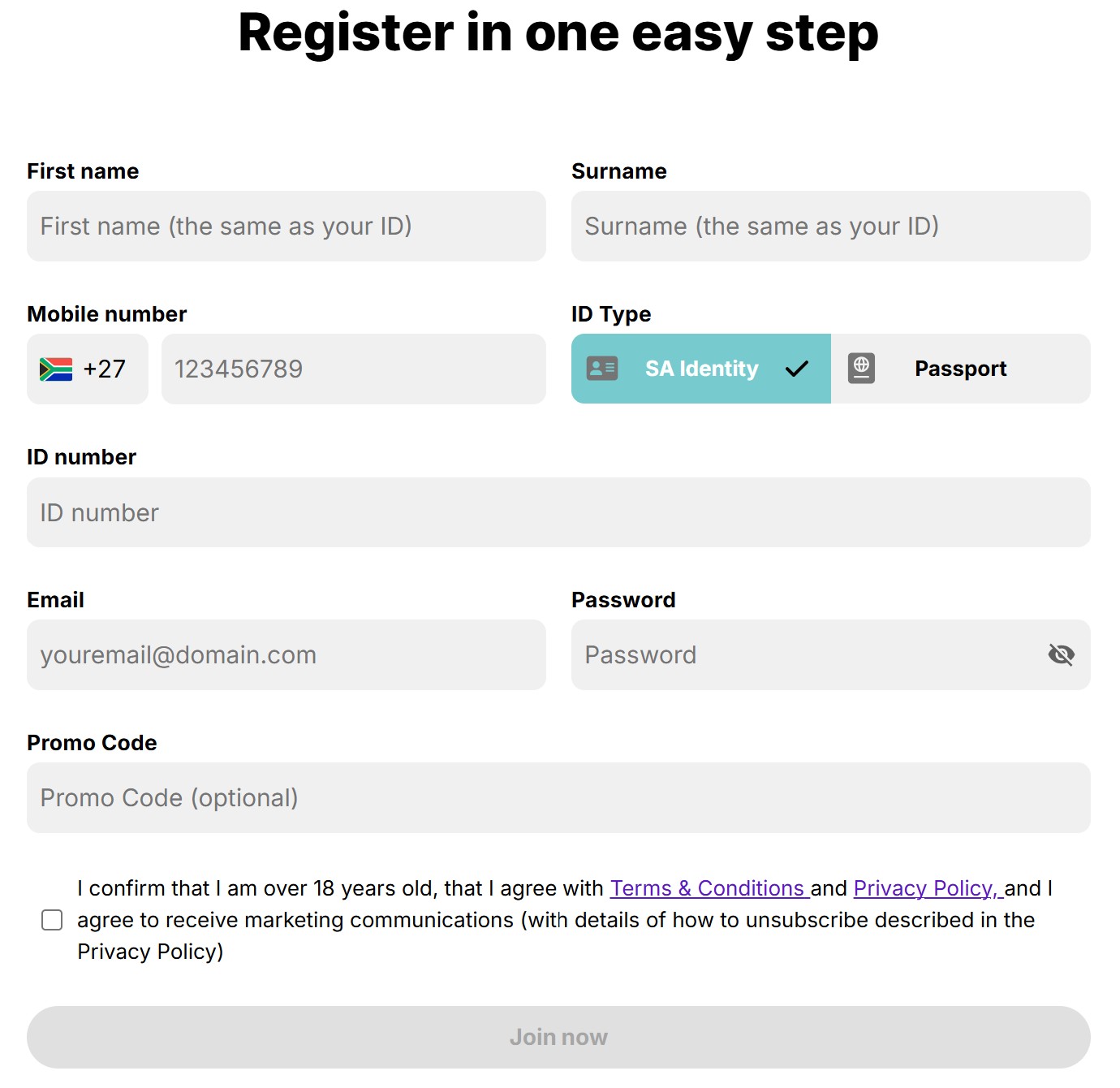
You’ll see a clean modal popup titled “Create an Account”. Fill in the first section of fields carefully:
Field 1: First name
Enter your first name exactly as it appears on your SA ID or passport. The placeholder text says “First name” – this must match your official documents.
⚠️ Important: Do not use nicknames, shortened versions, or middle names. Match your ID exactly to avoid verification issues during FICA.
Field 2: Last name
Enter your surname exactly as it appears on your SA ID or passport. The placeholder text says “Last name”.
⚠️ Important: Use your full legal surname. If you have a double-barreled surname, include both parts with the hyphen.
Field 3: Mobile Number
The form shows a South African flag and automatically prefixes your number with +27. Enter your mobile number without the leading zero. The placeholder shows: “71 123 4567”
- ✅ Correct: +27 82 123 4567 (entered as: 821234567)
- ❌ Incorrect: +27 082 123 4567 (don’t include the 0)
This number will receive SMS verification codes after registration.
Field 4: Email Address
Provide a valid email address. The placeholder text says “Enter email address”. Use the format: youremail@domain.com
This email will receive your account confirmation, bonus updates, and promotional offers. Make sure you have access to this email account.
Field 5: Identification Type
The form shows “Identification type” with two button options: “SA Identity” (blue button, left side) and “Passport” (gray button, right side).
- Select “SA Identity” if you have a South African ID book or card (recommended for SA citizens)
- Select “Passport” if you’re using a passport or don’t have an SA ID
Most South African players should choose “SA Identity” as it makes FICA verification faster.
Step 3: Complete the Registration Form (Part 2)
After selecting your ID type, the form continues with additional required fields:
Field 6: ID Number
Enter your full identification number in the field labeled “ID Number”:
- SA ID: Your 13-digit ID number (example: 8001015009087)
- Passport: Your full passport number as shown on your passport
⚠️ Double-check this: An incorrect ID number will prevent account verification and delay withdrawals.
Field 7: Password
Create a strong password in the field labeled “Enter Password”. The field includes an eye icon to show/hide your password.
Password must contain:
- At least 8 characters
- One uppercase letter (A-Z)
- One lowercase letter (a-z)
- One number (0-9)
- One special character (e.g., !@#$%)
💡 Tip: Use a password manager or write it down securely. You’ll need this to log in to your Soccer Shop account.
Field 8: Promo code (Optional)
The field labeled “Promo code (Optional)” can be left blank. SoccerShop.bet’s welcome bonus is automatically credited without requiring a promo code.
Note: If you have a specific promotional code from Soccer Shop, enter it here. Otherwise, skip this field.
Step 4: Agree to Terms and Complete reCAPTCHA
Before submitting your Soccer Shop registration, you must:
1. Check the Terms & Conditions box:
“I agree to the Terms and Conditions and Privacy Policy”
What this means:
- You confirm you’re 18 years or older (legal gambling age in SA)
- You accept SoccerShop.bet’s Terms & Conditions
- You agree to their Privacy Policy
2. Complete the reCAPTCHA verification:
Click the “I’m not a robot” checkbox. You may need to complete an image challenge (e.g., “Select all images with traffic lights”). This prevents automated bot registrations and protects your account security.
Step 5: Click “Create an Account” to Complete Registration
After checking the terms box and completing reCAPTCHA, the large blue “Create an Account” button becomes clickable.
Click “Create an Account” to submit your SoccerShop registration. The system will:
- Validate all your information
- Check that your ID number isn’t already registered
- Verify your age based on your ID number
- Create your Soccer Shop account instantly
If all information is correct, you’ll be automatically logged into your new SoccerShop.bet account within seconds!
Step 6: Verify Your Email and Mobile Number
After successful registration, SoccerShop.bet will send verification codes to confirm your contact details:
Email Verification:
- Check your email inbox for a message from SoccerShop.bet
- Click the verification link in the email
- Your email will be confirmed instantly
Mobile Number Verification:
- Check your phone for an SMS from Soccer Shop (should arrive within 1-2 minutes)
- Enter the verification code on the website/app
- Click “Verify” or “Confirm”
⚠️ Didn’t receive the codes?
- Wait 5 minutes (sometimes delivery is delayed)
- Check your spam/junk folder for the email
- Ensure your phone has signal
- Click “Resend Code” button if available
- Contact SoccerShop.bet support at +27 10 592 0216 if codes don’t arrive after 10 minutes
Common Registration Errors & How to Fix Them
Encountering an error during Soccer Shop registration? Here are the most common issues and their solutions:
❌ Error: “This ID number is already registered”
Cause: You or someone else has already created an account with this ID number.
Solution: SoccerShop.bet allows only ONE account per person. Try logging in with your existing credentials, or use the “Forgot Password” option. If you believe this is an error, contact Soccer Shop support immediately at support@soccershop.bet or +27 10 592 0216.
❌ Error: “Mobile number already in use”
Cause: This mobile number is linked to an existing SoccerShop.bet account.
Solution: Use a different mobile number, or recover your existing account via “Forgot Password”. Each mobile number can only be associated with one Soccer Shop account.
❌ Error: “Invalid email address”
Cause: Email format is incorrect or contains typos.
Solution: Check for typos. Correct format: username@domain.com (no spaces, must include @ and a domain ending like .com, .co.za).
❌ Error: “Password does not meet requirements”
Cause: Password is too weak or missing required characters.
Solution: Make sure your password has: 8+ characters, uppercase, lowercase, number, and special character. Example: MyPassword123!
❌ Error: “You must be 18 years or older”
Cause: Your ID number indicates you’re under 18.
Solution: Gambling is restricted to 18+ in South Africa. If you ARE over 18 but getting this error, double-check your ID number for typos. The system auto-calculates age from your SA ID.
❌ Error: “Please complete the reCAPTCHA verification”
Cause: You haven’t checked the “I’m not a robot” box or completed the image challenge.
Solution: Click the reCAPTCHA checkbox and complete any image verification challenges that appear. Make sure you’re not using a VPN or proxy, as these can interfere with reCAPTCHA.
FICA Verification: Complete Your Account Setup
After successful registration, you must complete FICA (Financial Intelligence Centre Act) verification before you can make your first withdrawal. This is a legal requirement for all South African gambling operators.
What is FICA, and Why is it Required?
FICA is South African legislation designed to prevent money laundering, fraud, and identity theft. All licensed operators like Soccer Shop (licensed by the Mpumalanga Economic Regulator) must verify your identity before processing withdrawals.
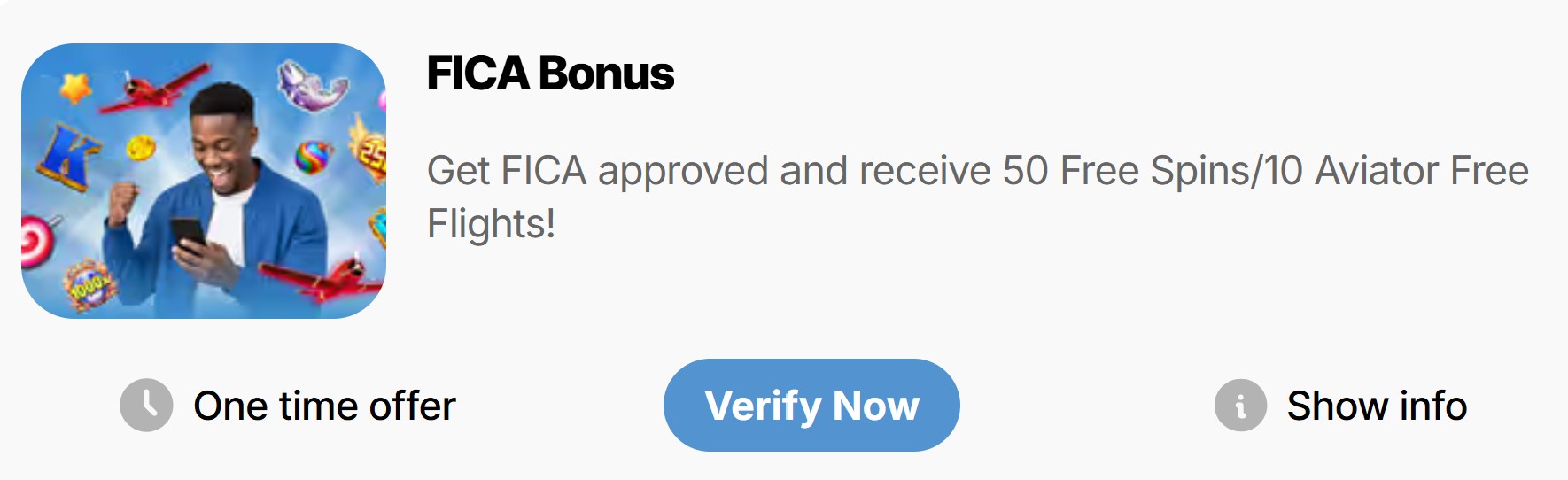
Good news: You can deposit and play immediately after registration. FICA is only required before your FIRST withdrawal. BONUS: Complete FICA and receive 50 free spins on top Pragmatic Play slots!
Documents Required for FICA Verification
| Document Type | What You Need |
|---|---|
| Proof of Identity | Clear color copy/photo of your SA ID (both front AND back) OR valid passport (photo page) OR driver’s license |
| Proof of Banking | Bank statement showing your name and account details (dated within last 3 months) |
| Proof of Address | Utility bill (electricity, water, rates), telephone bill, or bank statement dated within the last 3 months showing your full name and residential address |
How to Submit Your FICA Documents
Method 1: Upload via Your Account Dashboard (Recommended)
- Log into your SoccerShop.bet account
- Click on “My Account” or your username in the top-right corner
- Navigate to “Verification” or “FICA Documents” section
- Click “Upload Documents”
- Select and upload your ID, proof of banking, and proof of address
- Click “Submit for Review”
Method 2: Email to Support
If the upload portal isn’t working, email your documents to: support@soccershop.bet
Subject line: “FICA Verification – [Your Account Username]”
Attach: ID document, proof of banking, and proof of address as clear photos or PDF files
Method 3: Contact via Live Chat
Open the live chat on SoccerShop.bet website and request assistance with FICA verification. The support agent will guide you through the upload process.
FICA Document Tips for Fast Approval
- ✅ Take clear photos: Ensure all text is readable, no blurry images
- ✅ Include both sides of ID: Front and back must both be submitted
- ✅ Full document visible: Don’t crop edges, show the entire ID/bill/statement
- ✅ Recent documents: Proof of address and banking must be dated within last 90 days
- ✅ Name must match: Name on all documents must match your registered name
- ✅ Good lighting: Avoid shadows or glare on documents
- ✅ File format: JPG, PNG, or PDF accepted (under 5MB per file)
- ✅ Verify email and phone first: Complete email and mobile verification before FICA
⏱️ FICA Processing Time
Typical timeline: 24-48 hours for approval if documents are clear and correct.
Busy periods: May take up to 72 hours during weekends or public holidays. You’ll receive an email confirmation once approved, plus your 50 free spins bonus will be credited!
🎁 FICA Completion Bonus: 50 Free Spins
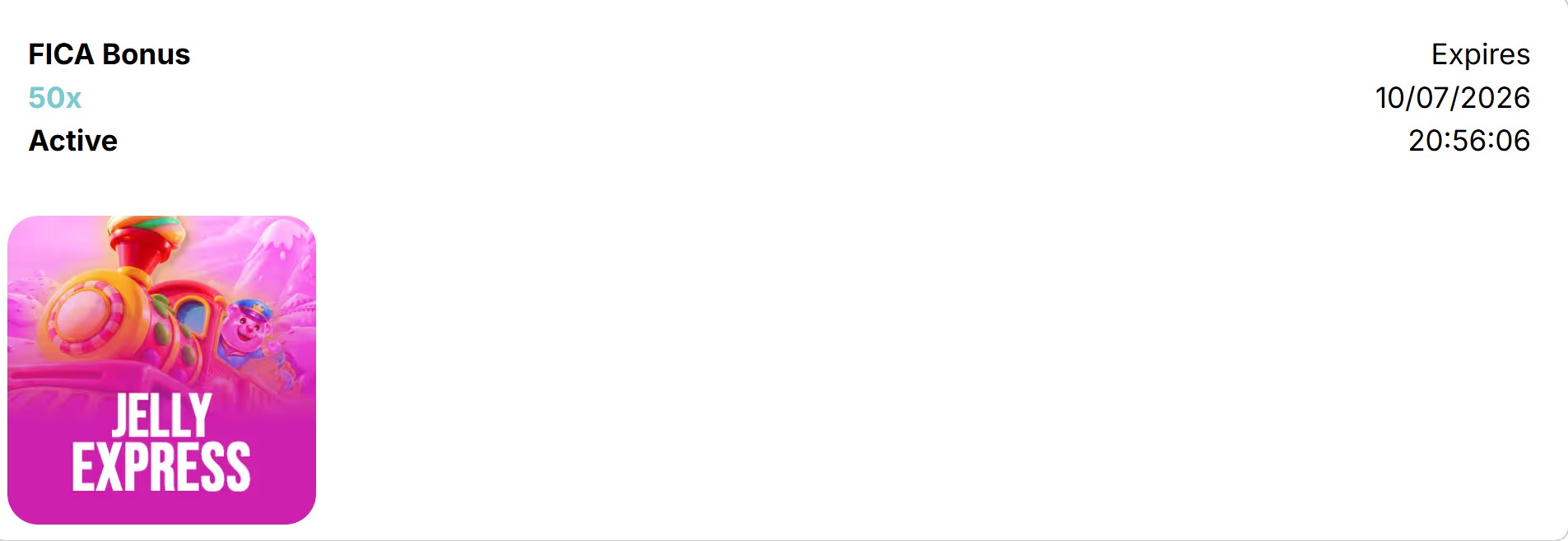
Once your FICA is approved, you’ll receive 50 free spins on premium Pragmatic Play slots including Gates of Olympus, Sugar Rush, Sweet Bonanza, and Buffalo King Megaways!
Maximum win: R1,000 from free spins | No wagering requirements – winnings go straight to your main wallet! See our complete bonus guide for details.
After Registration: Making Your First Deposit
Once your account is verified (email and mobile confirmed), you’re ready to make your first deposit and claim your R7,500 welcome bonus!
Available Deposit Methods
| Payment Method | Min Deposit | Processing Time |
|---|---|---|
| OZOW Instant EFT | R10 | Instant |
| WalletDoc (Capitec Pay) | R10 | Instant |
| Bank Transfer / Standard EFT | R50 | 1-3 business days |
| 1Voucher | R10 | Instant |
| OTT Voucher | R10 | Instant |
| Blu Voucher | R10 | Instant |
| Credit/Debit Card (Visa, Mastercard) | R10 | Instant |
| SnapScan / Zapper | R10 | Instant |
| EasyPay Voucher | R10 | Instant |
How to Make Your First Deposit at Soccer Shop
- Log into your SoccerShop.bet account
- Click the “Deposit” button (usually top-right corner or in account menu)
- Select your preferred payment method from the list
- Enter deposit amount (minimum R50 to qualify for welcome bonus, R10 for OZOW/vouchers)
- The welcome bonus will be automatically credited if you deposit R50 or more
- Follow the payment instructions for your chosen method
- Confirm the transaction
💰 Your funds will appear in your Soccer Shop account instantly for most methods (1-3 days for standard EFT)!
⚠️ Critical: Welcome Bonus Activation
The R7,500 welcome bonus (100% match) is automatically credited when you deposit R50 or more. No promo code required! The bonus has 5x wagering at 1/1 odds minimum. Read our complete bonus claiming guide for full details and terms.
Frequently Asked Questions About SoccerShop.bet Registration
How long does SoccerShop.bet registration take?
The registration form takes 3-5 minutes to complete. Once submitted, your Soccer Shop account is created instantly. Email and mobile verification adds another 2-3 minutes total.
Can I register at Soccer Shop if I’m under 18?
No. You must be 18 years or older to register and gamble at SoccerShop.bet. This is a legal requirement in South Africa. The system will automatically check your age based on your ID number.
Can I create multiple SoccerShop accounts?
No. SoccerShop.bet’s terms allow only ONE account per person, per household, per IP address. Creating duplicate accounts is prohibited and can result in account closure and bonus forfeiture.
Do I need to download the app to register at Soccer Shop?
No. You can register via the SoccerShop.bet website on any browser (desktop or mobile). The SoccerShop.bet app (available for iOS, Android, and Huawei) is optional but recommended for easier access. Registration process is identical across all platforms.
When do I need to complete FICA verification?
You can deposit and play immediately after registration without FICA. However, you MUST complete FICA before making your first withdrawal. We recommend doing it right after registration to avoid delays when you want to cash out, plus you’ll receive 50 free spins!
What if I enter the wrong information during Soccer Shop registration?
Contact SoccerShop.bet support immediately at support@soccershop.bet or +27 10 592 0216. Some details like your name and ID number cannot be changed after registration as they’re used for FICA verification. You may need to create a new account with correct details.
Can I use someone else’s ID to register at SoccerShop?
Absolutely not. Using someone else’s identity is illegal and will result in immediate account closure, fund confiscation, and potential legal action. You must use your own, real information.
Do I need a promo code for the welcome bonus?
No! The R7,500 welcome bonus is automatically credited when you deposit R50 or more. No promo code is required. The “Promo code (Optional)” field during registration can be left blank unless you have a specific promotional code from SoccerShop.bet.
How do I contact SoccerShop.bet support if I need help?
SoccerShop.bet offers support via:
Email: support@soccershop.bet
Phone: +27 10 592 0216 (business hours)
Live Chat: Available on the website during business hours (Mon-Fri, 08:00-17:00 SAST)
What are the withdrawal limits at SoccerShop.bet?
Minimum withdrawal: R50 | Maximum daily withdrawal: R200,000 | Withdrawal time: 24-48 hours for EFT, 30 minutes for eWallet (FNB eWallet, Standard Bank Instant Money). All withdrawals require completed FICA verification.
Is Soccer Shop registration free?
Yes! Registration at SoccerShop.bet is completely free. You only need to deposit money when you’re ready to start betting. There are no hidden fees or charges for creating an account.
Can I register from outside South Africa?
No. SoccerShop.bet is licensed to operate only in South Africa. You must be a South African resident with a valid SA ID or South African bank account to register and bet at Soccer Shop.
How do I reset my SoccerShop password?
On the Soccer Shop login page, click “Forgot Password? Recover it”. Enter your registered email address or mobile number, complete the reCAPTCHA, and click “Submit”. You’ll receive a password reset link via email or SMS.
Account Security Tips After Registration
Protect your new SoccerShop.bet account with these essential security practices:
🔒 Use a Strong, Unique Password
Don’t reuse passwords from other sites. Create a unique password for Soccer Shop and store it securely (use a password manager if possible). Change it every 3-6 months.
🔒 Never Share Your Login Details
SoccerShop.bet support will NEVER ask for your password. Don’t share your login credentials with anyone, including friends or family.
🔒 Log Out When Using Shared Devices
Always log out of your Soccer Shop account when using public computers, internet cafes, or shared devices. Use private/incognito browsing mode for added security.
🔒 Monitor Your Account Activity
Regularly check your transaction history and bet history. Report any suspicious activity to SoccerShop.bet support immediately.
🔒 Keep Your Contact Details Updated
Ensure your email and mobile number are always current. This helps Soccer Shop contact you about important account updates or suspicious activity.
🔒 Set Deposit Limits
Use SoccerShop.bet’s responsible gambling tools to set daily, weekly, or monthly deposit limits. This protects both your account and your bankroll.
Ready to Start Playing at SoccerShop.bet?
You now have everything you need to successfully register at SoccerShop.bet South Africa! The Soccer Shop registration process is quick, straightforward, and secure. Once registered, you’ll have access to:
- ✅ R7,500 Welcome Bonus – 100% match on your first deposit
- ✅ 50 Free Spins – No-deposit bonus after FICA completion
- ✅ 600+ Casino Games – Slots, live dealers, Aviator, and more
- ✅ 200+ Soccer Leagues – Comprehensive sports betting coverage
- ✅ 10% Weekly Cashback – On both sports and slots
- ✅ Horse Racing & Greyhounds – 24/7 racing betting
- ✅ Fast Withdrawals – 24-48 hours (EFT) or 30 minutes (eWallet)
- ✅ Triple Mobile Apps – iOS, Android, and Huawei support
- ✅ 11 Active Promotions – Including Aviator Rain and 2UP early payout
- ✅ Support Available – Email, phone, and live chat assistance
What Happens After You Register?
Your journey with Soccer Shop is just beginning!
Step 1: Verify your email and mobile number
Step 2: Make your first deposit (R50+ to claim R7,500 bonus)
Step 3: Submit FICA documents (get 50 free spins!)
Step 4: Start playing and winning
Step 5: Enjoy fast withdrawals once FICA is approved
18+ Only. SoccerShop.bet is licensed by the Mpumalanga Economic Regulator and supports Responsible Gambling. Gambling can be addictive and harmful if not controlled. Winners know when to stop.
South African Responsible Gambling Foundation: 0800 006 008 or WhatsApp “Help” to 076 675 0710
Regularly Updated: Registration process verified as of publication date. Screenshots show the actual SoccerShop.bet registration forms. Visit the official SoccerShop.bet website for the most current registration experience.